Why customize Home Assistant Voice?
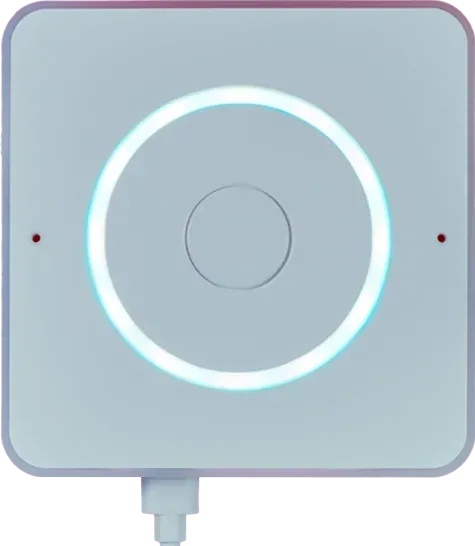
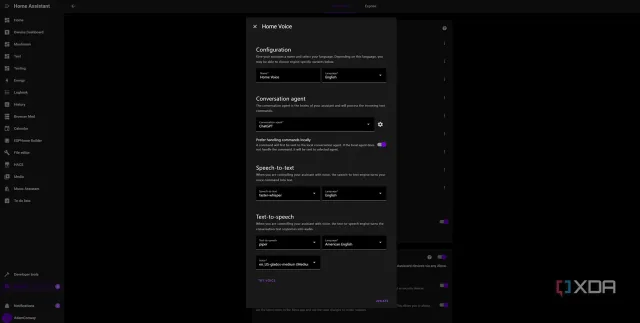
Home Assistant Voice Preview Edition is an enclosed voice satellite with microphones, a speaker, physical controls, and open-source ESPHome firmware. A coding agent can help write Home Assistant automations, custom sentences, and configuration. Speech processing and optional language-model services run elsewhere; this small device is not a standalone computer running a full coding agent.
A good fit for
Custom voice commands in a home that already runs Home Assistant.
Not the right fit for
A standalone speaker that includes every speech or AI service.
Compatibility
- Exact hardware
- Preview Edition
- Software route
- Home Assistant / ESPHome
- Where code runs
- Voice capture happens on the device; Home Assistant and the chosen speech services do the processing elsewhere.
- Development tools
- A laptop, a coding agent such as Claude Code or Cursor, and the tools listed in the guide.
- Evidence
- Official docs. Not hands-on tested.
Project ideas
- 01A spoken morning routine
- 02Custom voice commands for your home
- 03A desk button that starts a focus scene
Getting started
- 01
Prepare Home Assistant
Confirm that your Home Assistant installation is available and choose a supported local or cloud speech route.
- 02
Follow the setup guide
Connect power, add the Voice device, and test a built-in command before adding custom behavior.
- 03
Add a small automation
Have your coding agent help draft one custom sentence or automation. Test it with a light or status response before connecting more consequential devices.
Setup & technical references
Starter prompt
Help me create a Home Assistant voice automation for my Voice Preview Edition. Ask for my Home Assistant version, speech setup, and the exact entity IDs first. Start with a harmless status response or light, explain the YAML, and preserve confirmation for locks, alarms, or other consequential actions. Do not assume I have paid cloud or LLM access.
Confirm your exact hardware before running device-changing commands.
Common questions
Can Home Assistant Voice work fully locally?
It can use a local speech setup, but the separate host must be powerful enough for your chosen recognition tools and languages. Check current Home Assistant guidance before choosing a host.
What else do I need to buy?
You need a Home Assistant system plus a suitable USB-C cable and power supply. Optional cloud speech or language-model services may carry their own fees.
Where can I buy Home Assistant Voice?
Use the official buying or compatibility link below. The Amazon button opens a search, not a confirmed product listing. A Home Assistant system is required separately. The device does not include a USB-C cable or charger; check regional retailers and accessories.