Why customize Philips Hue Lightstrip Plus base kit?
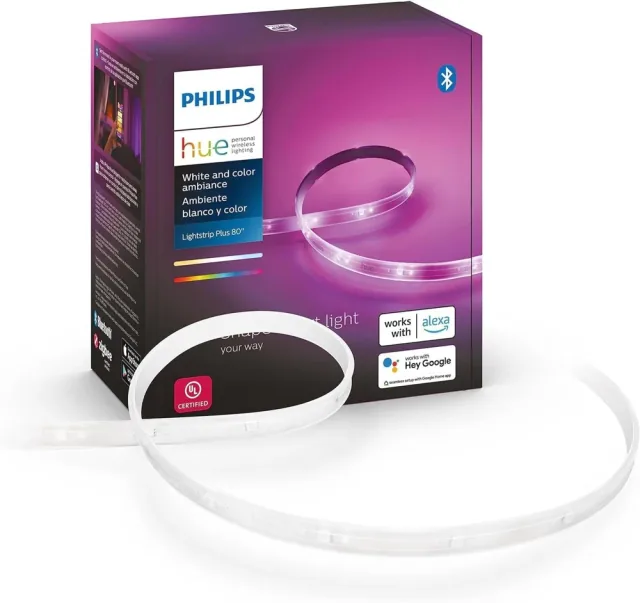
Philips Hue Lightstrip Plus base kit gives your software a physical output. Your automation runs on Home Assistant or another computer and controls lights through the bridge. The linked documentation establishes a control route; the project ideas below are suggestions, not projects we have personally built or tested.
A good fit for
A quiet meeting-status light.
Not the right fit for
A guaranteed plug-and-play result without the listed setup or accessories.
Compatibility
- Exact hardware
- Philips Hue Lightstrip Plus base kit
- Software route
- Hue Bridge + Home Assistant
- Where code runs
- Your automation runs on Home Assistant or another computer and controls lights through the bridge.
- Development tools
- A laptop, a coding agent such as Claude Code or Cursor, and the tools listed in the guide.
- Evidence
- Published documentation / community project. Not hands-on tested.
Project ideas
- 01A quiet meeting-status light
- 02A color signal for weather or air quality
Getting started
- 01
Confirm the exact model
Match the hardware label and bundle to the linked documentation. The named Hue light, its power supply or compatible fitting, a Hue Bridge and a running Home Assistant instance.
- 02
Prove the documented connection
Follow the original guide and run its smallest supported example before asking an agent to extend it. The documented route uses a Hue Bridge, even when the light also advertises Bluetooth. Do not buy an extension-only lightstrip without its powered base kit.
- 03
Build one useful behavior
Start with a quiet meeting-status light. Add logging, sensible timeouts and a manual off switch. Your automation runs on Home Assistant or another computer and controls lights through the bridge.
Setup & technical references
Starter prompt
Help me plan a quiet meeting-status light using Philips Hue Lightstrip Plus base kit. Read https://www.home-assistant.io/integrations/hue first. Confirm my operating system, exact model, firmware and required accessories. Use only documented capabilities. Start with the smallest reversible test and ask before moving hardware, flashing firmware or changing credentials. The documented route uses a Hue Bridge, even when the light also advertises Bluetooth. Do not buy an extension-only lightstrip without its powered base kit. Keep secrets out of public code.
Confirm your exact hardware before running device-changing commands.
Common questions
Where does my software run?
Your automation runs on Home Assistant or another computer and controls lights through the bridge.
What do I need before starting?
The named Hue light, its power supply or compatible fitting, a Hue Bridge and a running Home Assistant instance.
What should I check before buying?
The documented route uses a Hue Bridge, even when the light also advertises Bluetooth. Do not buy an extension-only lightstrip without its powered base kit.