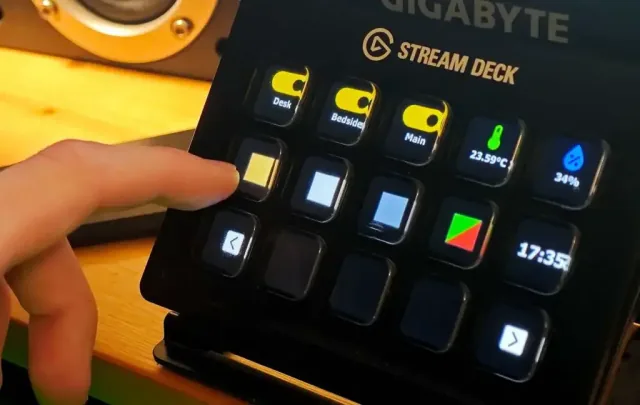
Why customize Stream Deck MK.2?
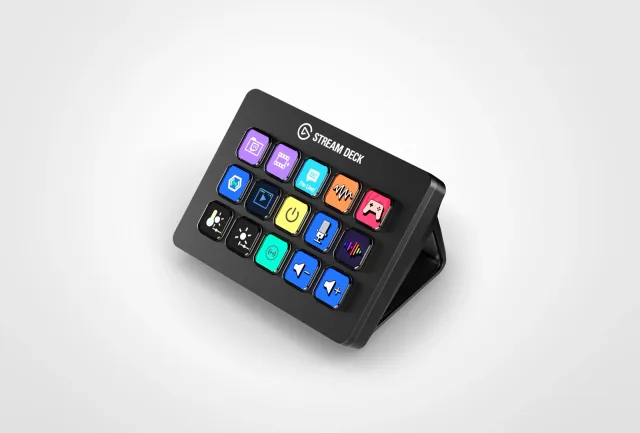
Stream Deck MK.2 has fifteen customizable LCD keys and runs through Elgato's desktop software. Its official SDK lets you build a plugin that reacts to presses and updates the keys. A coding agent can help scaffold the plugin and connect it to a local tool or service; the logic runs on the attached computer, not as a standalone application inside the deck.
A good fit for
Physical shortcuts and live status buttons for software you already use.
Not the right fit for
A standalone button that works without an attached computer.
Compatibility
- Exact hardware
- MK.2 · 15 LCD keys
- Software route
- Node.js / plugin SDK
- Where code runs
- Your plugin runs through Stream Deck software on the connected computer, not inside the deck as an independent app.
- Development tools
- A laptop, a coding agent such as Claude Code or Cursor, and the tools listed in the guide.
- Evidence
- Official docs. Not hands-on tested.
Project ideas
- 01One button to start a focus session
- 02A live status key for your side project
- 03A physical control panel for your own software
Getting started
- 01
Set up a normal key first
Install the desktop software and confirm the device works with a built-in action.
- 02
Scaffold the example plugin
Follow Elgato's getting-started guide and keep its sample action working before adding a service.
- 03
Give one button a useful job
Add a harmless local action, then a status indicator. Keep keys and tokens out of the distributed plugin bundle.
Using it with coding tools
Fifteen LCD keys if you want separate buttons for editor actions, terminal tasks, and audio controls.
You’ll need: A compatible computer and Stream Deck software. Custom status integrations may need a plugin or local script.
The logic runs on your computer. Do not map a button to blindly approve agent commands, send messages, or deploy code.
Automate the shortcut, not your judgment
A button is useful when you already know which action you repeat. Opening the editor, showing a terminal, or starting dictation are sensible first candidates. A shortcut deck does not make the agent more capable; it makes a familiar action easier to reach.
Elgato documents a foot-pedal workflow in which a shortcut triggers dictation, which inserts text at the cursor. That is an input workflow, not evidence that AI wrote the pedal’s software.
Start with three actions
Suggested layout: one button opens or focuses your coding environment; a second triggers your dictation shortcut; a third brings up your test runner or terminal. Configure and test each action separately rather than chaining them into one macro.
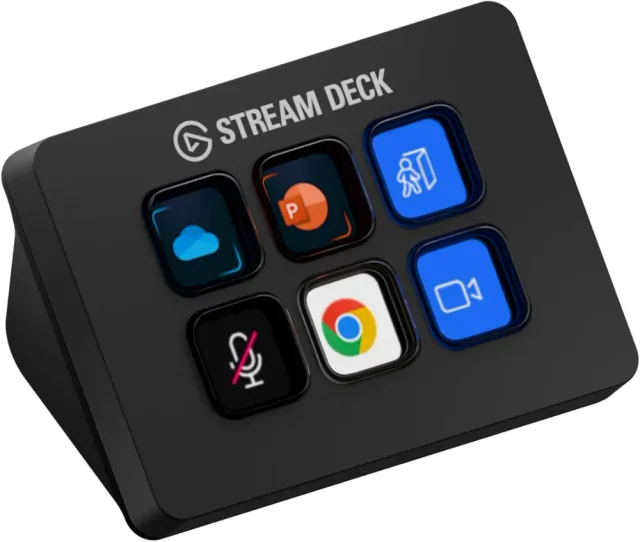
Stream Deck Mini has six LCD keys; MK.2 has fifteen. The Pedal trades on-screen labels for three footswitches. Use a keyboard shortcut first to decide whether dedicated hardware is worth the desk or floor space.
Configure for your app, not a generic recipe
Install the supported Stream Deck software and follow Elgato’s hotkey instructions. Choose the actual shortcut from your editor or dictation app; operating systems, keymaps, and app versions differ. Confirm any accessibility or microphone permissions your setup needs.
Test a press, a hold, and a release in a harmless text document. Some dictation tools toggle listening; others require a held key. Check what happens when you switch windows or reconnect the device. Do not assume one tap means “start” and the next means “stop.”
Leave consequential actions on screen
Do not turn an easily bumped pedal into “approve everything,” a production deployment, or an unchecked shell command. Leave code review and permission prompts visible. If you later automate local tests, make the working directory and command explicit and keep failure output visible.
For a quieter desk, a display is another option: the community Clauddy project uses a MiniToo to show agent status. It requires its own host setup and reverse-engineered software; it is not an official ready-made Claude integration.
Further reading
Setup & technical references
Starter prompt
Help me create a Stream Deck MK.2 plugin with the current official SDK. First check the required desktop software and Node.js versions. Start with one harmless button and a visible success/error state. Explain where the plugin runs and require confirmation before any destructive or externally visible action.
Confirm your exact hardware before running device-changing commands.
Common questions
Can Claude Code or Cursor build a Stream Deck plugin?
They can help scaffold and explain a plugin using Elgato’s current SDK. You still need the supported desktop software, Node.js tooling, and local testing on your computer.
Does Stream Deck MK.2 work without a computer?
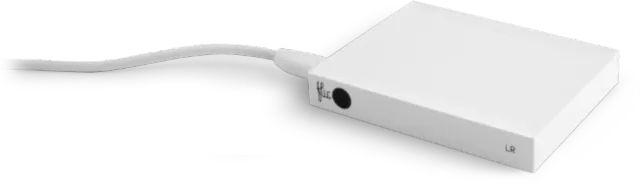
Not for the plugin route described here. The deck depends on the attached computer and Stream Deck software. For hub-based logic, compare Flic Button + Hub LR.
Where can I buy Stream Deck MK.2?
An Amazon listing is linked as a starting point, not a guarantee of stock or compatibility. The linked manufacturer page is regional; select your country before shopping. Choose MK.2, and check the current Stream Deck software and SDK requirements for your operating system.