About the directory & our standards

Lights / Computer companion

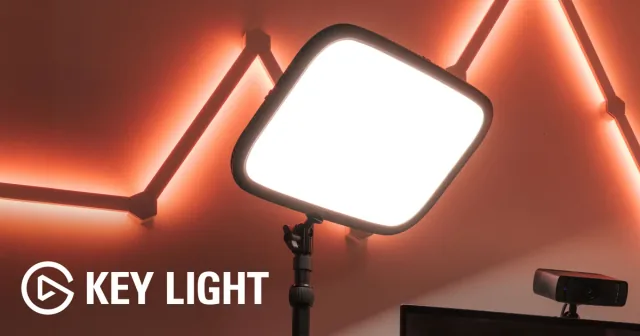
Native Linux controls for a studio light

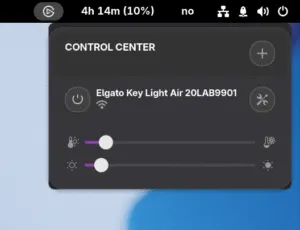
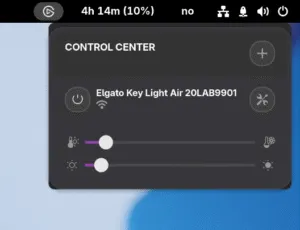
GNOME quick controls and a configuration interface restoring lighting features missing on Linux.

Read the original build See shopping list
Elgato Light GNOME Shell extension
Christian F. K. Schaller · lighting controls

What the hardware does

Linux controls operate the real Wi-Fi studio light.

How the agent helped

Christian Schaller details feeding an old extension and Windows interface screenshots to Claude, then iterating each real hardware function.

Before you build

Host-side controls, not software running on the lamp. The source names Claude but not its exact interface.

Follow the build

blogs.gnome.org

Original build story

First-person build article

gitlab.com
Supporting source

Shopping list

Save as Markdown

Parts for one build. Reuse equipment you already own. Quantities are planning quantities unless the creator explicitly specifies a count; kit contents are not additional purchases.

Quantities are for one build. Unless marked source-specified, they are planning quantities; confirm kit contents and the chosen configuration before ordering.

  1. Qty. 1Plan / confirm
    Required

    Elgato Key Light Wi-Fi lamp

    Network-addressable lamp.

    Sources & quantity basis

    Creator source. Planning quantity for one build; check the selected configuration.

    View product

    Product page

  2. Qty. 1Plan / confirm
    Required

    Linux computer with GNOME Shell

    Build, configure or flash the software.

    Run the extension.

    Sources & quantity basis

    Setup requirement — check against your configuration. Planning quantity for one build; check the selected configuration.

    Use existing equipment or match the specification above. No exact purchase link verified.

  3. Qty. ExistingPlan / confirm
    Required

    Wi-Fi network

    Connect lamp and computer.

    Sources & quantity basis

    Setup requirement — check against your configuration. Planning quantity for one build; check the selected configuration.

    Use existing equipment or match the specification above. No exact purchase link verified.

  4. Qty. 1Plan / confirm
    Required

    Device power supply

    Power the device.

    Use the lamp’s supplied power brick.

    Sources & quantity basis

    Setup requirement — check against your configuration. Planning quantity for one build; check the selected configuration.

    Use existing equipment or match the specification above. No exact purchase link verified.

  5. Qty. 1Plan / confirm
    Conditional

    Lamp mount

    Secure the light.

    Check whether the arm/clamp is included in a used unit.

    Sources & quantity basis

    Setup requirement — check against your configuration. Planning quantity for one build; check the selected configuration.

    Use existing equipment or match the specification above. No exact purchase link verified.

Source reviewed, not assembled or hands-on tested. A working product page does not confirm stock, firmware compatibility or a complete build.

Built something with a coding agent?

Share your hardware project so others can try it.

Submit a project