About the directory & our standards

Displays / Device firmware

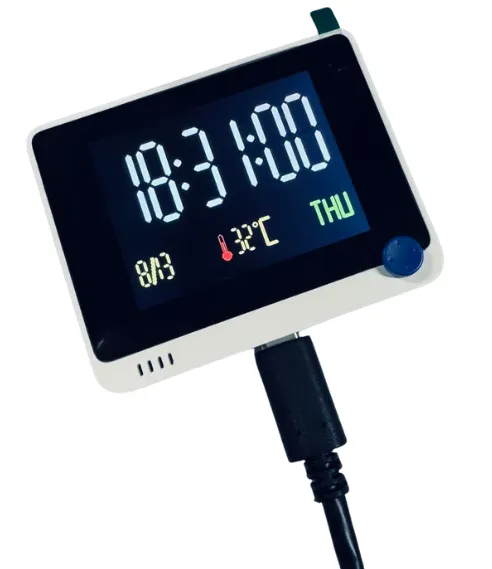
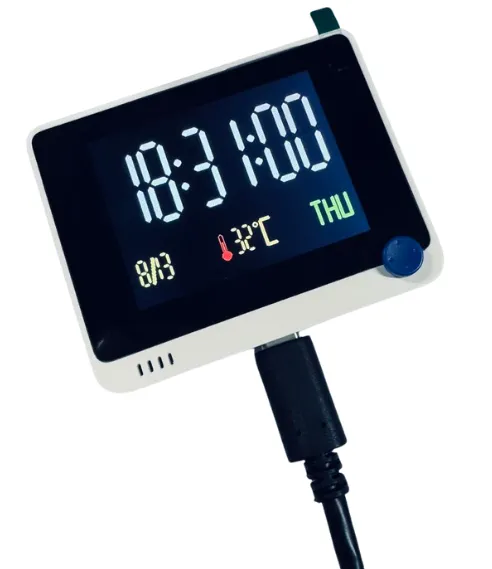
Weather clock with offline fallback

A small physical clock showing live weather, keeping local time when connectivity fails.

Read the original build See shopping list
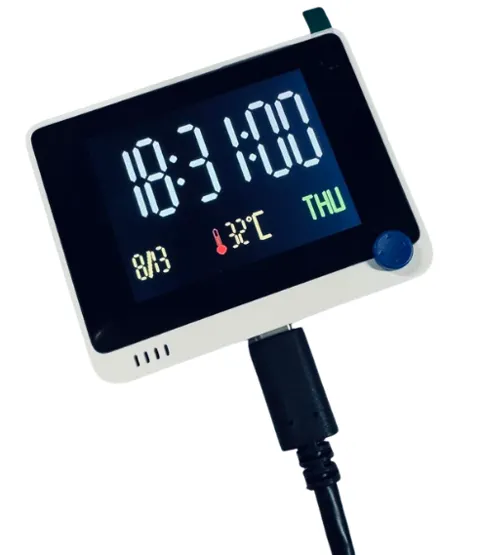
Network clock and weather information displayed on Wio Terminal
Seeed Studio · creator demonstration

What the hardware does

The Wio Terminal becomes a dedicated weather clock with offline timekeeping.

How the agent helped

Seeed explicitly calls the three featured builds connected hardware applications built with its AI coding assistant.

Before you build

Check weather-service access and credentials. This is a manufacturer showcase, not an independent test.

Follow the build

sensecraft.seeed.cc

Original build story

Manufacturer project showcase

sensecraft.seeed.cc
Supporting source

Shopping list

Save as Markdown

The screen and controls are built into Wio Terminal; do not buy an extra display. Configure required data-service access separately.

Quantities are for one build. Unless marked source-specified, they are planning quantities; confirm kit contents and the chosen configuration before ordering.

  1. Qty. 1Plan / confirm
    Required

    Seeed Studio Wio Terminal

    Integrated screen, controls and wireless board.

    Sources & quantity basis

    Creator source. Planning quantity for one build; check the selected configuration.

    View product

    Product page

  2. Qty. 1Plan / confirm
    Required

    USB-C data cable

    Connect to the computer for programming or data.

    A charge-only cable cannot flash firmware. Check package contents before ordering a second cable. Example requires a USB-A host port. If your computer has only USB-C, use an appropriate USB-C data cable instead. Reuse the device’s included cable where possible; this is not a standalone power-supply recommendation.

    Sources & quantity basis

    Setup requirement — check against your configuration. Planning quantity for one build; check the selected configuration.

    Example part

    Accessory example: USB-A to USB-C, 1 m, data capable

  3. Qty. 1Plan / confirm
    Tool

    Computer for setup

    Build, configure or flash the software.

    Sources & quantity basis

    Setup requirement — check against your configuration. Planning quantity for one build; check the selected configuration.

    Use existing equipment or match the specification above. No exact purchase link verified.

  4. Qty. ExistingPlan / confirm
    Required

    Wi-Fi network

    Connect data sources.

    Sources & quantity basis

    Setup requirement — check against your configuration. Planning quantity for one build; check the selected configuration.

    Use existing equipment or match the specification above. No exact purchase link verified.

  5. Qty. 1Plan / confirm
    Conditional

    USB power source

    Power the device.

    USB power is needed for untethered desk use; a battery is not assumed included.

    Sources & quantity basis

    Setup requirement — check against your configuration. Planning quantity for one build; check the selected configuration.

    Use existing equipment or match the specification above. No exact purchase link verified.

Source reviewed, not assembled or hands-on tested. A working product page does not confirm stock, firmware compatibility or a complete build.

Built something with a coding agent?

Share your hardware project so others can try it.

Submit a project